Radix UI (Primitives)
🍀 Directory Note
"The behaviour layer of the modern React stack: accessible interaction done properly and handed over unstyled, for teams willing to pay in CSS what they save in interaction bugs."
About Radix UI (Primitives)
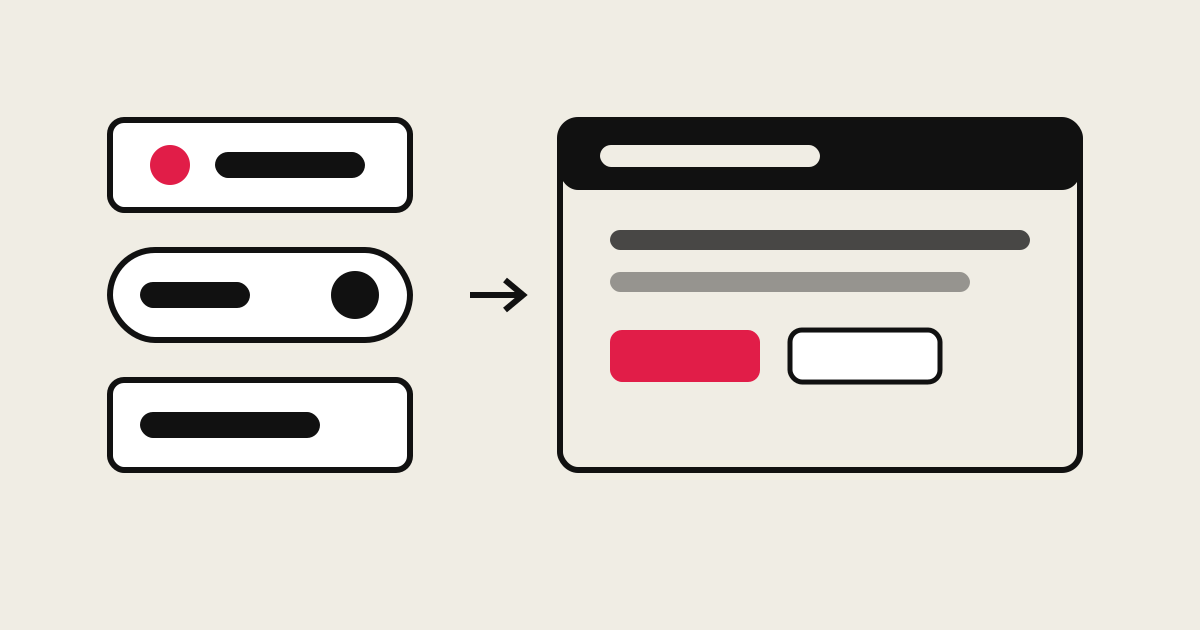
Radix Primitives is a library of low-level, unstyled React components that solve interaction behaviour and nothing else. Each primitive is assembled from small parts, a Root that holds state, a Trigger, a Portal, a Content, so a team wraps the parts in its own component API and styles every state itself. What Radix supplies is the part of interface work that is easiest to get wrong: its documentation lists feature-rich behaviour including keyboard interaction, collision detection, focus trapping, dynamic resizing, and scroll locking, and states that the components adhere to the WAI-ARIA design patterns, run controlled or uncontrolled, and expose the underlying DOM nodes for refs and event handlers.Distribution is through npm, either as the single radix-ui package or as individual @radix-ui/react-* packages per component, so a bundle carries only the primitives it uses. The project is open source under the MIT license and is maintained by WorkOS. Its position in the ecosystem is unusual: Radix is rarely the visible layer. Styled collections, most visibly shadcn/ui, are built on these primitives, which makes Radix the behaviour layer underneath a large share of current React design systems while remaining almost unknown to the end users clicking on it.The honest boundary is in the name. A primitive is not a component library in the Ant Design or Material sense: there is no theme, no visual identity, and nothing on screen until your CSS arrives. Teams adopt Radix to own their look completely and to stop re-implementing menu keyboard support; teams that want finished components with a house style should start from a styled system and accept its opinions instead.
Primary Use Cases
- 1Design system foundations for React product teams
- 2Accessible dialogs, menus, and popovers in audited or regulated products
- 3Styled component collections built on shared behaviour (the shadcn/ui pattern)
- 4SaaS interfaces with dense, keyboard-driven interaction
- 5Replacing hand-rolled menu and modal code that fails accessibility review
Technical Data
Components
Accordion, Alert Dialog, Aspect Ratio, Avatar, Checkbox, Collapsible, Context Menu, Dialog, Dropdown Menu, Form, Hover Card, Label, Menubar, Navigation Menu, Popover, Progress, Radio Group, Scroll Area, Select, Separator, Slider, Slot, Switch, Tabs, Toast, Toggle, Toggle Group, Toolbar, Tooltip, Visually Hidden
API pattern
Composable parts (Root, Trigger, Portal, Content, Close); controlled and uncontrolled modes; 1-to-1 mapping between components and DOM elements
Styling
None shipped by default. State is exposed through data attributes; compatible with plain CSS, CSS-in-JS, Tailwind, and utility frameworks, per the project documentation
Packages
radix-ui (single package) or individual @radix-ui/react-* packages on npm
Accessibility
Components adhere to the corresponding WAI-ARIA design patterns (project documentation); tested in current Chrome, Firefox, Safari, and Edge
License
MIT (LICENSE in github.com/radix-ui/primitives, copyright WorkOS; npm registry for radix-ui, checked October 2026)
Documentation
radix-ui.com/primitives
Editorial review
Radix exists because of a specific, expensive embarrassment: the accessible dropdown menu. A menu that opens on click is an afternoon of work. A menu that traps focus correctly, closes on the right keys, positions itself against the viewport edge, restores focus on close, and announces itself properly to a screen reader is a project, and most teams that attempt it ship something that fails an audit anyway. Radix Primitives is that project, done once, in public, and given away under MIT.The design decision that makes it work is the parts model. A Dialog is not a black box with forty props; it is Root, Trigger, Portal, Overlay, Content, Title, Description, and Close, composed in your markup, each rendering one DOM element you can ref, style, and attach handlers to. Wrapping it in your own Dialog component with your own narrower API is the intended use, and the documentation says so outright: the primitives are low-level enough that teams are expected to introduce their own high-level layer. Controlled and uncontrolled modes are both first-class, which is what lets the same primitive serve a quick settings menu and a fully state-managed command palette.Accessibility is the claim to check, and Radix makes it checkable. Each component's documentation names the WAI-ARIA pattern it follows and the keyboard interactions it implements, so an auditor can compare behaviour against the pattern instead of against a marketing sentence. Focus is fully managed and customisable, dismissal and layering behaviour are configurable, and popper-based components handle collision with the viewport rather than overflowing it. None of this is visible in a screenshot, which is precisely the point: the value is in the interactions nobody photographs.The costs are structural, not incidental. Unstyled means unstyled: a Select is a behaviour with a DOM structure until your team styles the trigger, the portal content, the scroll buttons, the highlighted item, and every state between. Budgeted honestly, adopting Radix means funding a styled wrapper layer and its maintenance, which is why the ecosystem's most popular way to consume Radix is through a pre-styled collection built on it. The second cost is scope: React only, web only. A multi-framework platform team gets a behaviour reference, not a shared library.Bottom line: choose Radix Primitives when a React product's interactions are complex enough to fail audits, the team wants permanent ownership of its visual layer, and the CSS budget is real. If any of those three is missing, start from a styled system and keep Radix as the standard its behaviour is measured against.
Directory Analysis & Suitability
Key Advantages
- The hard interaction problems are solved once, in one place: focus trapping, keyboard navigation, collision-aware positioning, and dismissal follow the WAI-ARIA patterns instead of each team's best guess
- Zero styles shipped, so a design system keeps complete control of its look; component state is exposed through data attributes for styling open, closed, and highlighted states
- Composable parts (Root, Trigger, Portal, Content) let a team reshape the component API for its own system without forking the behaviour underneath
Considerations
- Nothing is visible out of the box: every state of every component needs your own CSS before it can ship, which is a real budget line for a small team
- React only: the primitives do nothing for Vue, Svelte, or plain HTML projects, and there is no native mobile version
- You own the wrapper layer forever: most adopters end up maintaining an internal styled component set on top, with its own documentation, tests, and upgrade path
Platform Compatibility
Web Environment
Primary surface: React web applications, including server-rendered setups; components are tested in current Chrome, Firefox, Safari, and Edge per the project documentation.
Mobile & Touch
Mobile web through React only. There is no native iOS or Android build; touch behaviour comes from the primitives' pointer and dismissal handling in the browser.
Desktop Software
Desktop web is the design centre. React desktop shells (Electron and similar) inherit the primitives unchanged; native desktop toolkits are out of scope.