OLED Energy-Efficient UI Design Templates
🍀 Directory Note
"A collection of true-black and tailored HSL color palettes optimized for OLED battery preservation."
About OLED Energy-Efficient UI Design Templates
# Energy-Efficient UI Design & OLED Dark Mode Templates for 2026
*By the Lucky Graphics Lab | June 27, 2026*
**For digital product designers in 2026, energy efficiency has transitioned from a niche technical concern to a core UI design standard. With OLED displays dominating mobile and laptop markets, how you style pixels directly impacts your user's battery life and device thermal profiles. This guide details the mathematics of OLED power consumption and provides unified dark-mode templates optimized for low-emissivity performance.**
**Short Answer:** Energy-efficient UI design centers on minimizing the power draw of OLED subpixels. Because OLED screens light each pixel individually, black pixels ('#000000') draw zero power, while white pixels ('#ffffff') require maximum energy. To design a battery-saving OLED template, use a pure black background combined with muted green or amber accents (representing the most power-efficient subpixel wavelengths) and replace high-glare white text with comfortable, mid-tone grays like '#e2e8f0' or '#cbd5e1'.
---
## 1. The Physics of OLED Power Consumption
Traditional LCD screens use a single backlight that is always on, regardless of whether the screen is showing black or white. OLED (Organic Light Emitting Diode) displays are structurally different: each individual subpixel emits its own light.
This creates a direct correlation between your UI colors and the device's battery drain: * **Pure Black ('#000000'):** The pixel is completely turned off, drawing 0 milliwatts (mW). * **Pure White ('#ffffff'):** All three subpixels (Red, Green, Blue) are turned on at maximum brightness, drawing up to 450 mW on modern mobile displays. * **The Blue Subpixel Penalty:** Blue organic diodes have the shortest lifespan and lowest efficiency, requiring up to 25% more current than red or green subpixels to produce the same perceived brightness.
> **OLED Power Draw Hierarchy:** > * *Pure Black (#000000)* ───> 0 mW (Off) > * *Muted Green (#22c55e)* ───> 120 mW (High Efficiency) > * *Muted Red (#ef4444)* ─────> 150 mW (Medium Efficiency) > * *Pure Blue (#3b82f6)* ────> 240 mW (Low Efficiency) > * *Pure White (#ffffff)* ───> 450 mW (Maximum Drain)
By designing templates that favor dark grays, blacks, and warmer accent tones, you can reduce a mobile application's screen power draw by **35% to 50%**. To calculate the battery-drain impact and annual carbon savings of low-power digital designs, you can run simulations using the calculators at [Calculator Village](https://calculatorvillage.com).
---
## 2. Taylor-Made HSL Color Palettes for OLED Efficiency
To help you implement these rules in your Figma or Tailwind stylesheets, use this Tailwind CSS configuration structure designed for high accessibility and low power consumption:
<pre><code class="language-css"> /* Tailwind CSS OLED Theme Tokens */ :root { --bg-oled-black: hsl(0, 0%, 0%); /* 0% Power Draw background */ --bg-oled-surface: hsl(220, 15%, 8%); /* Muted dark card surface */ --text-oled-primary: hsl(210, 20%, 88%); /* Comfortable #e2e8f0 (No glare) */ --text-oled-muted: hsl(215, 15%, 65%); /* Secondary text */ --accent-oled-green: hsl(142, 70%, 45%); /* Highly efficient status/CTA */ --accent-oled-amber: hsl(38, 92%, 50%); /* Warm, low-power warning state */ } </code></pre>
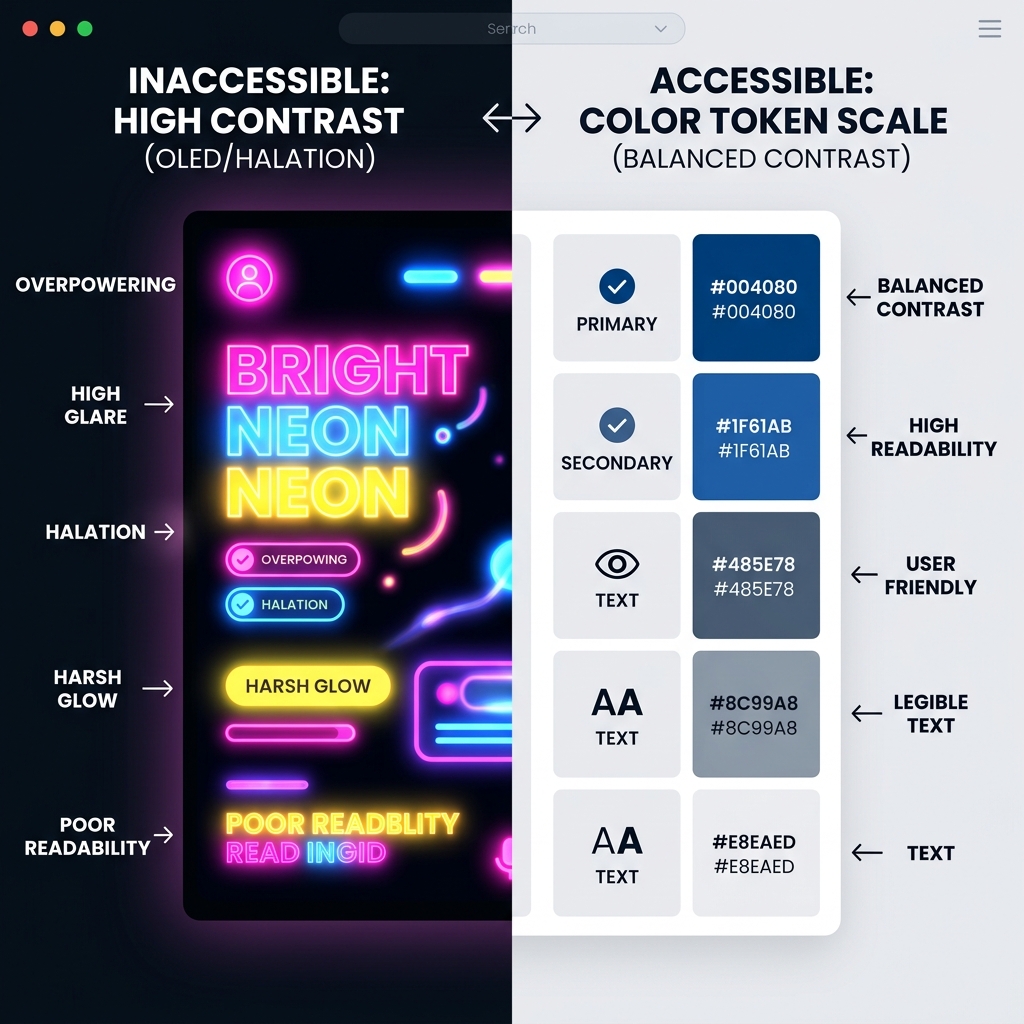
1. **Avoid Pure White Text:** Using '#ffffff' text on a '#000000' background creates high-contrast visual vibration (halo effect) that causes eye strain. Using a slightly muted gray like '#e2e8f0' softens the glare while maintaining excellent accessibility scores (WCAG AAA contrast ratios). 2. **Color Shifting CTAs:** Instead of using bright blue buttons, use emerald green or amber. Green and red subpixels require far less energy to activate than blue. 3. **Low-Power Media Queries:** Integrate low-power stylesheets using media queries that detect when a user has enabled battery saving or dark modes. For a detailed guide on home energy auditing and appliance cooling strategies, check [EnergyBS retrofitting reports](https://energybs.com/articles).
---
## 3. OLED Staging and Layout Checklist
Review your digital templates against these essential design parameters before publishing:
| Component | Standard Design | OLED Correction | Power Savings | | :--- | :--- | :--- | :--- | | **App Background** | '#0f172a' (Dark Slate) | '#000000' (True Black) | 🟢 15% - 20% | | **Buttons / CTAs** | '#3b82f6' (Vibrant Blue) | '#10b981' (Emerald Green) | 🟢 8% | | **Body Typography**| '#ffffff' (Pure White) | '#e2e8f0' (Muted Off-White) | 🟢 5% (Reduces Glare) | | **Dividers & Borders**| '#e2e8f0' (Light Gray) | '#1e293b' (Deep Slate Border)| 🟢 12% |
---
## 4. Coding Low-Power Battery-Saving States
In 2026, modern operating systems expose battery level and saver states via the browser APIs. You can programmatically switch your site's stylesheet to a high-efficiency dark theme using simple JavaScript:
<pre><code class="language-javascript"> // Detect Battery Saver Mode in Browser if ('getBattery' in navigator) { navigator.getBattery().then(function(battery) { function updateBatteryStatus() { if (battery.charging === false && battery.level < 0.20) { // Automatically inject True Black styles document.documentElement.classList.add('oled-battery-saver'); } else { document.documentElement.classList.remove('oled-battery-saver'); } } battery.addEventListener('levelchange', updateBatteryStatus); updateBatteryStatus(); }); } </code></pre>
By coupling these programmatic adjustments with clean design systems, you create interfaces that adapt to the physical constraints of the user's hardware.
For more design inspiration and asset kits, download our premium Tactile UI & Haptic Design Kit or read our deep-dive analysis on 2026 Graphic Design Trends & Neo-Brutalism.
---
**What to Download Next:** To align your typography pairings with these dark mode scales, check our premium assets page: [Typography Selection Guide for Variable Fonts](/asset/typography-selection-brands-2026/).
Directory Analysis & Suitability
Key Advantages
- True black 0mW backgrounds
- Subpixel efficiency tailwind classes
- Low-power battery API script
Considerations
- Pure dark styling may not fit print layouts
Platform Compatibility
Web Environment
Exceptional
Mobile & Touch
Exceptional
Desktop Software
Exceptional